

Sentry alternative for AI-built apps: what to check before you switch
We put Sentry's browser SDK and Belvador's on the same page and recorded what each one sent. For an app an AI agent wrote, defaults, data location and proof of delivery matter before price.
Andrew Babo5 min read
On this page

If an AI agent wrote most of your app, choose an error tracker by what it sends without being told, where it stores it, and whether you can prove errors arrive. Price comes after that. We tested the first point with two SDKs on one page on 26 October 2026.
Why an AI-built app changes the question#
A coding agent sets up error tracking the way it sets up everything else. It copies the quickstart, the app builds, and it moves on to the next task. Whatever the quickstart leaves at its defaults is what runs in production.
That matters twice. The SDK sees your users' sessions, so its defaults decide which personal data leaves the browser. And errors from these apps often go back into an LLM for the fix, so whatever the tracker stores can end up in a prompt. Our post on sending production errors to an LLM safely covers that second step.
The test: one page, two SDKs#
We built one small page twice: once with @sentry/browser 10.76.2 and once with @belvador/browser 0.4.0, which wraps the same Sentry engine. Each page called only init() with a DSN and a release name, nothing else.
On the page, the app logs a line that contains an email address. A user clicks Pay, the app calls setUser() with an id, email, user name and ip_address: "{{auto}}", and it fetches /api/cart?token=tok_FAKE123. Then it throws an uncaught error from a timer. Every value is fake.
A local collector stood in for both services and recorded each request. We ran each page three times in headless Chromium, and every run sent the same items.
What each one sent#
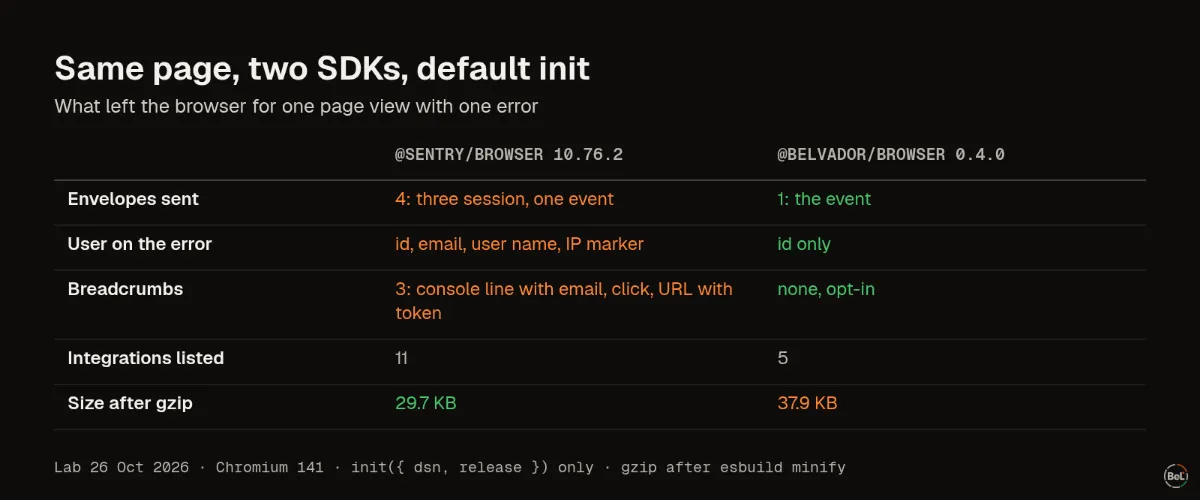
Sentry's SDK sent four envelopes for one page view: three session updates and the error. The error carried the email, user name and the {{auto}} marker, which asks the receiving server to fill in the visitor's IP address. It also carried three breadcrumbs: the console line with the email, the click, and the fetch URL with the token in it.
None of this is a bug. Sentry records breadcrumbs by default and sends the user you set, and its options let you change both with beforeBreadcrumb, beforeSend and sendDefaultPii. The point is that an agent following a quickstart rarely adds them.
Belvador's SDK sent one envelope. The user kept only its id, and there were no breadcrumbs, because they are off until you turn them on. It is not smaller: after gzip it was 37.9 KB against Sentry's 29.7 KB, about 8 KB more. It runs the same engine plus its own scrubbing and sending rules; we did not measure which part costs what.
Four things to check in any Sentry alternative#
Most alternatives accept Sentry's SDKs, so the code change is small. The differences are in four places.
1. What leaves the browser by default#
Open your production site, filter the Network tab for envelope, click through a flow and trigger an error. Read the payloads. If you find emails, tokens in URLs or console lines you did not mean to send, fix that in the SDK options before you move anything.
2. Where events are stored#
Sentry's hosted service offers US and EU storage. GlitchTip and Bugsink can be hosted for you or run on your own server. Belvador stores events on a server in your own Hetzner project, which it creates, updates and backs up. Storage location is not the same as where an AI model processes a pasted error, which is a separate setting at the AI provider.
3. Proof that errors arrive#
An empty issue list does not prove anything. It looks the same when the app is healthy and when the DSN is wrong. Send one tagged test error from production after every setup change and check that it shows up. Belvador's connection check does this per runtime and marks the project Verified.
4. What the tool does not do#
Belvador has no session replay, profiling, AI debugging or MCP server. Sentry has all four; its Seer agent costs $40 per active contributor a month on top of a plan. If your team relies on those, a cheaper tool is not an upgrade.
Price, once the rest fits#
These are list prices we read on 25 October 2026. They change, so check the vendor's page before you decide.
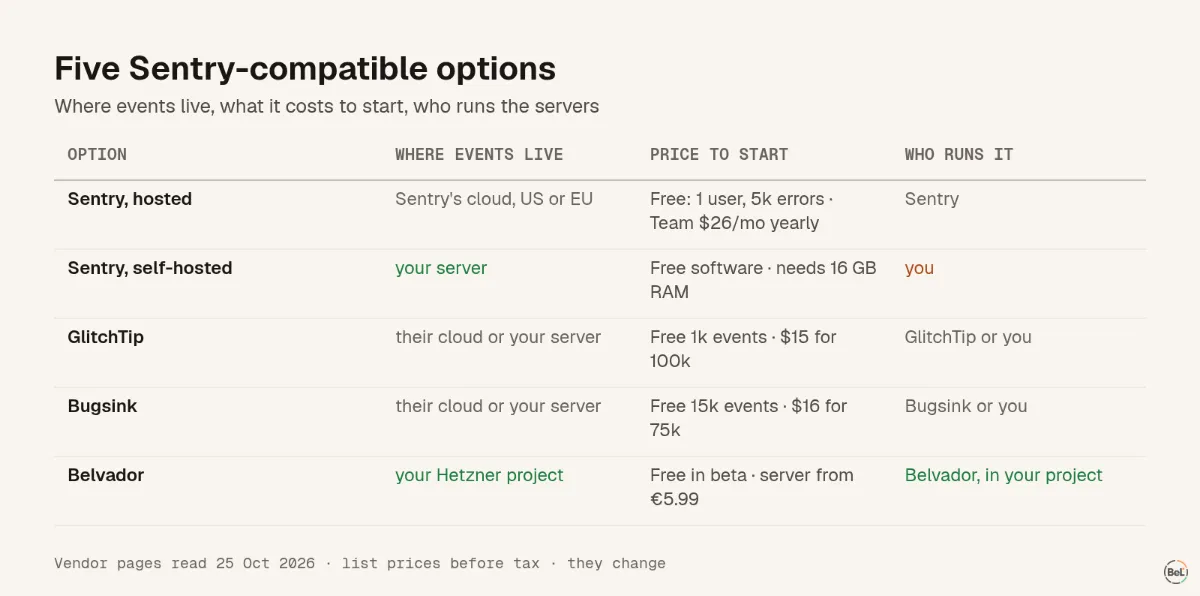
- Sentry: Team is $26 a month billed annually, or $29 monthly, with 50,000 errors a month included.
- GlitchTip: hosted plans start free at 1,000 events, then $15 a month for 100,000. It is open source and can be self-hosted.
- Bugsink: managed plans start free at 15,000 events, then $16 a month for 75,000. Self-hosting is free, with volume limited by your hardware.
- Belvador: free during the beta. Hetzner bills the server, and a CX23 listed at €5.99 a month before VAT.
Switching without losing errors#
Run one SDK at a time, or every error arrives twice. Then send a tagged test error from each runtime, and keep the old tool read-only until the new one has caught a real error. The migration checklist tests each assumption in that list with the official Node.js SDK. If you are weighing a self-hosted install instead, our self-hosted Sentry vs BYOC on Hetzner post counts what that install pulls and runs.
Where Belvador fits#
Belvador accepts what Sentry SDKs send, stores it on a node in your Hetzner project, and covers errors, cron and uptime monitoring, SLOs and OpenTelemetry traces and logs. The Sentry alternative page lists what moves over and what does not. The migration guide maps each Sentry package and option to its Belvador equivalent. If you are also looking at open-source trackers, the GlitchTip comparison cites GlitchTip's own pages.
Keep reading#
In this topic
- Self-hosted Sentry vs BYOC on Hetzner: what you actually run
Andrew Babo4 min read
- Sentry SDK migration checklist: test every assumption
Andrew Babo5 min read
Related posts
All posts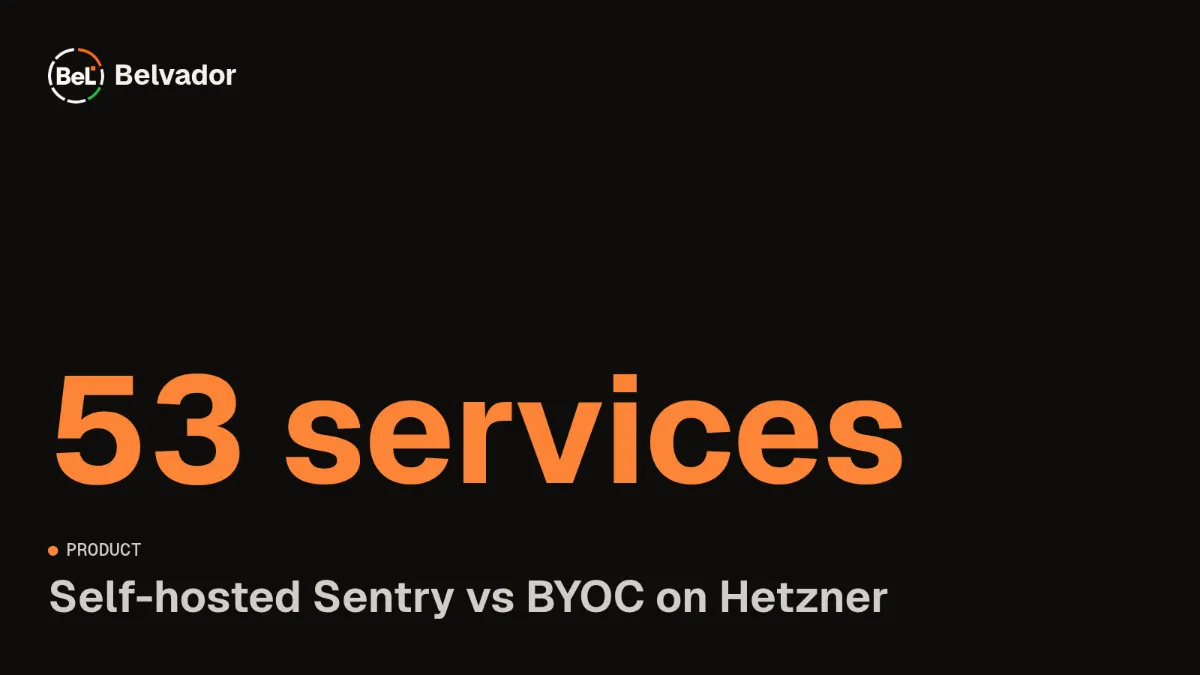
Product
Self-hosted Sentry vs BYOC on Hetzner: what you actually run
We counted what a self-hosted Sentry 26.10.0 install pulls and starts, and set it next to a managed node in your own Hetzner project. Both keep data on your servers; the work is not the same.
Andrew Babo4 min read
Product
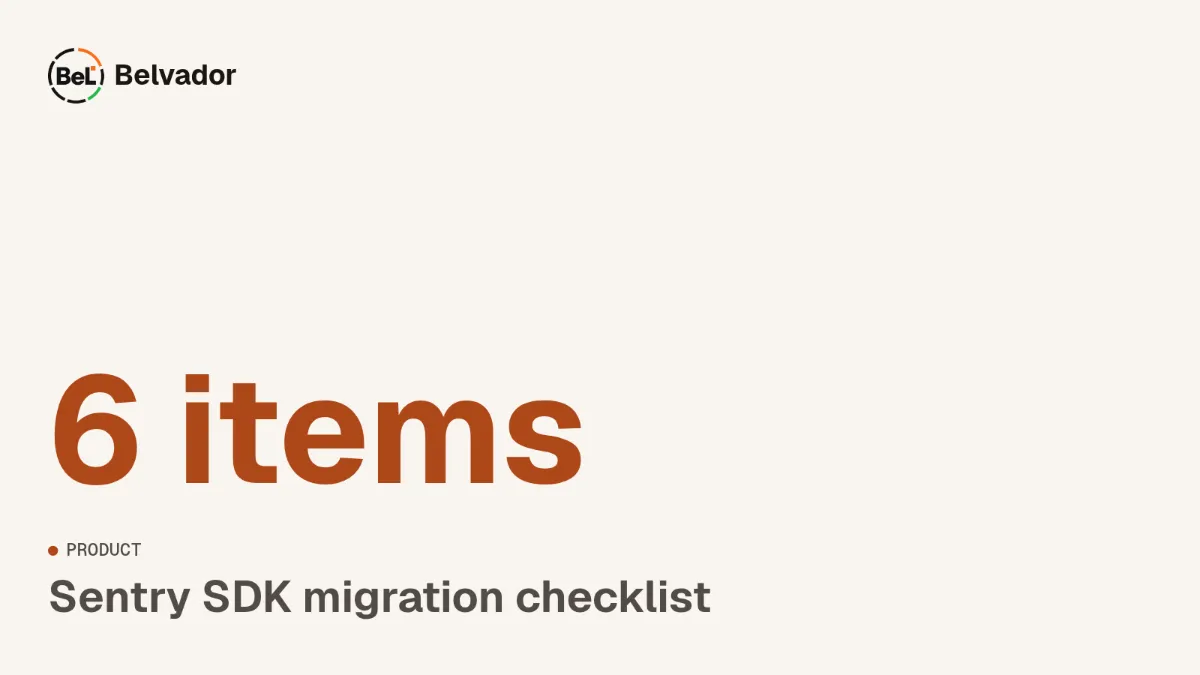
Sentry SDK migration checklist: test every assumption
Changing a DSN is the easy part. We ran the official Sentry Node.js SDK with two configs and listed every item it sent, and what a Sentry-compatible backend does with each one.
Andrew Babo5 min read
Read next in the docs
See your own production errors this way
Belvador runs on your own Hetzner server: errors, cron jobs, uptime and traces, with your data staying yours.